Holio Chat
The conversation lives where the work lives
The team talks inside the same system that holds the orders, the cases and the shipments — not in an app beside it, with its own user list and its own history.
What is in the app
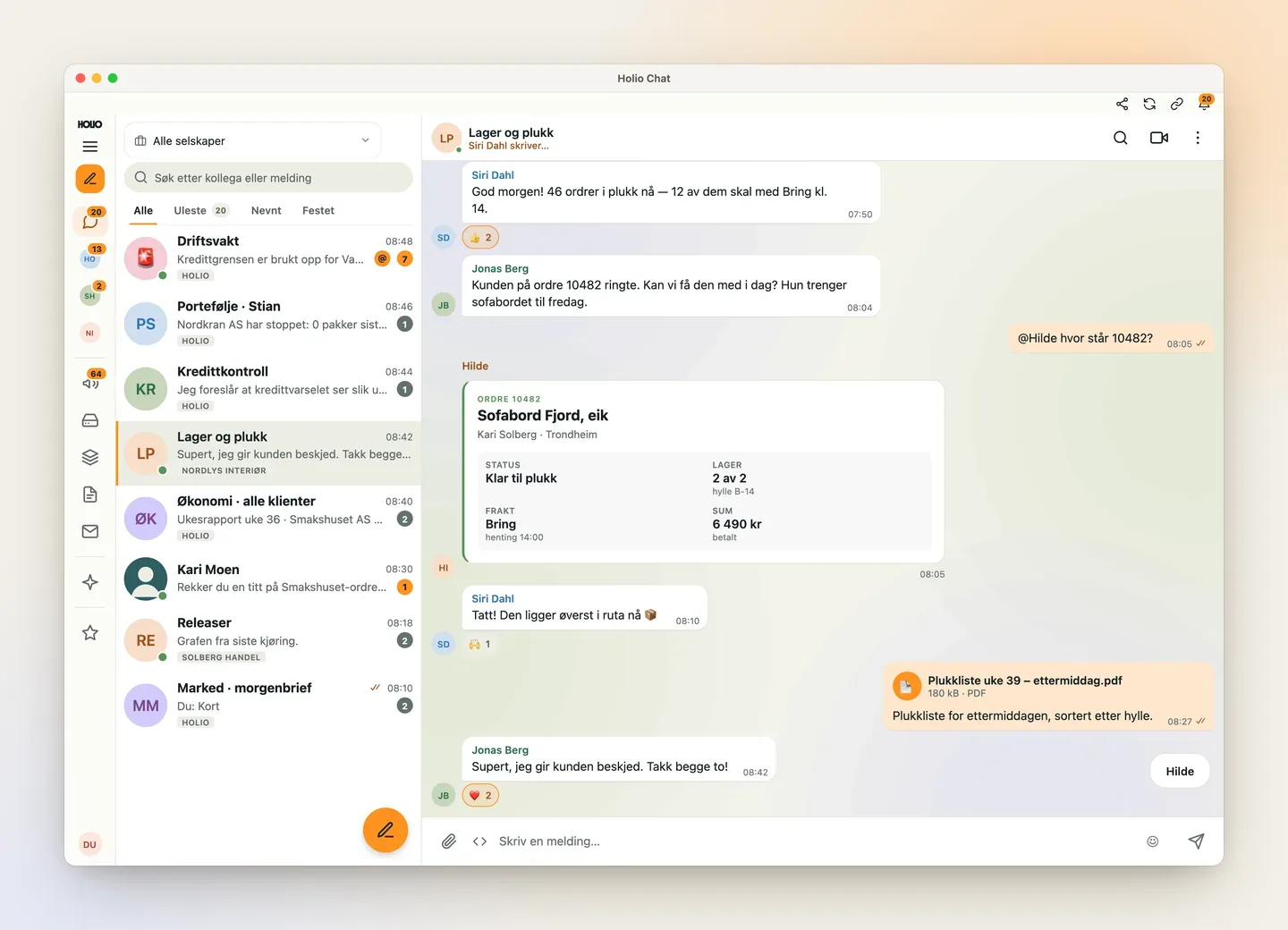
One conversation list, one thread, one composer. The rest is what you would otherwise change window to do.
Channels, groups and DMs
Threads, reactions, pinned messages, search, forwarding and read receipts — what you expect of a modern chat.
Meet and call from the thread
Start a meeting in the conversation, or ring a colleague. It rings on the Mac, the phone and the browser tab, and you see who answered.
Hilde is in the conversation
Ask the agent in the thread instead of changing surface. It answers with the user's own permissions, and nothing goes out unless a person presses send.
Your own email in the same app
The inbox as a reader with folders, threads, attachments and reply — so email and chat are not two programs.
Company news
Announcements, polls and "confirm read" from the company in the same app, and several companies in one list for people who work across a group.
Team Vault
Shared passwords and keys are revealed inside the app, with an audit trail on every reveal — not in a thread and not in a spreadsheet.
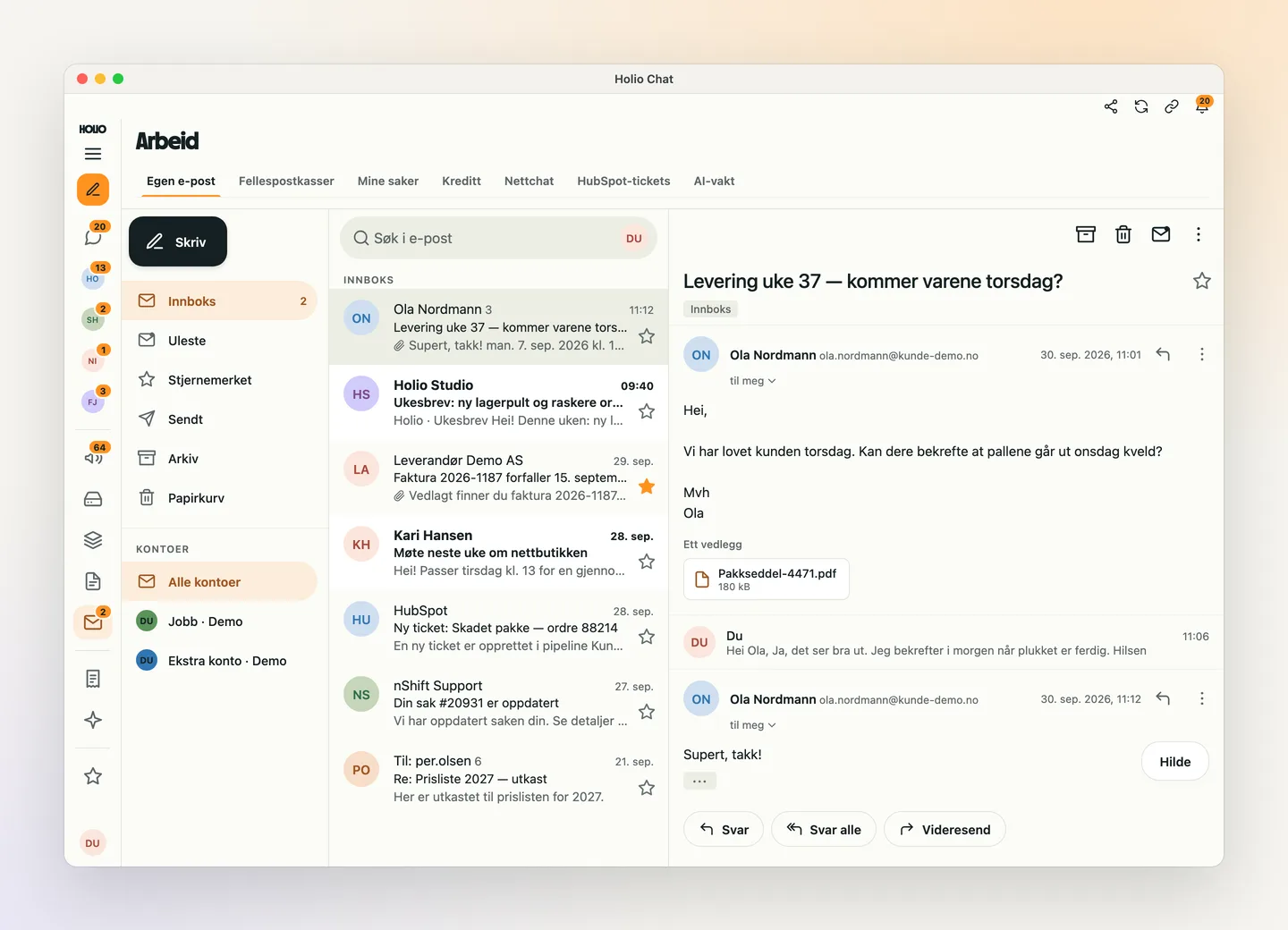
Email and chat in the same window
Your own inbox sits under Work, next to shared mailboxes, cases and web chat. Read the thread, open the attachment and reply without leaving the app — and with several accounts, see them together or one at a time.
When a customer asks about a delivery, the answer is often already in a conversation with the warehouse. Now it is one click away, not another program.
Company news people actually read
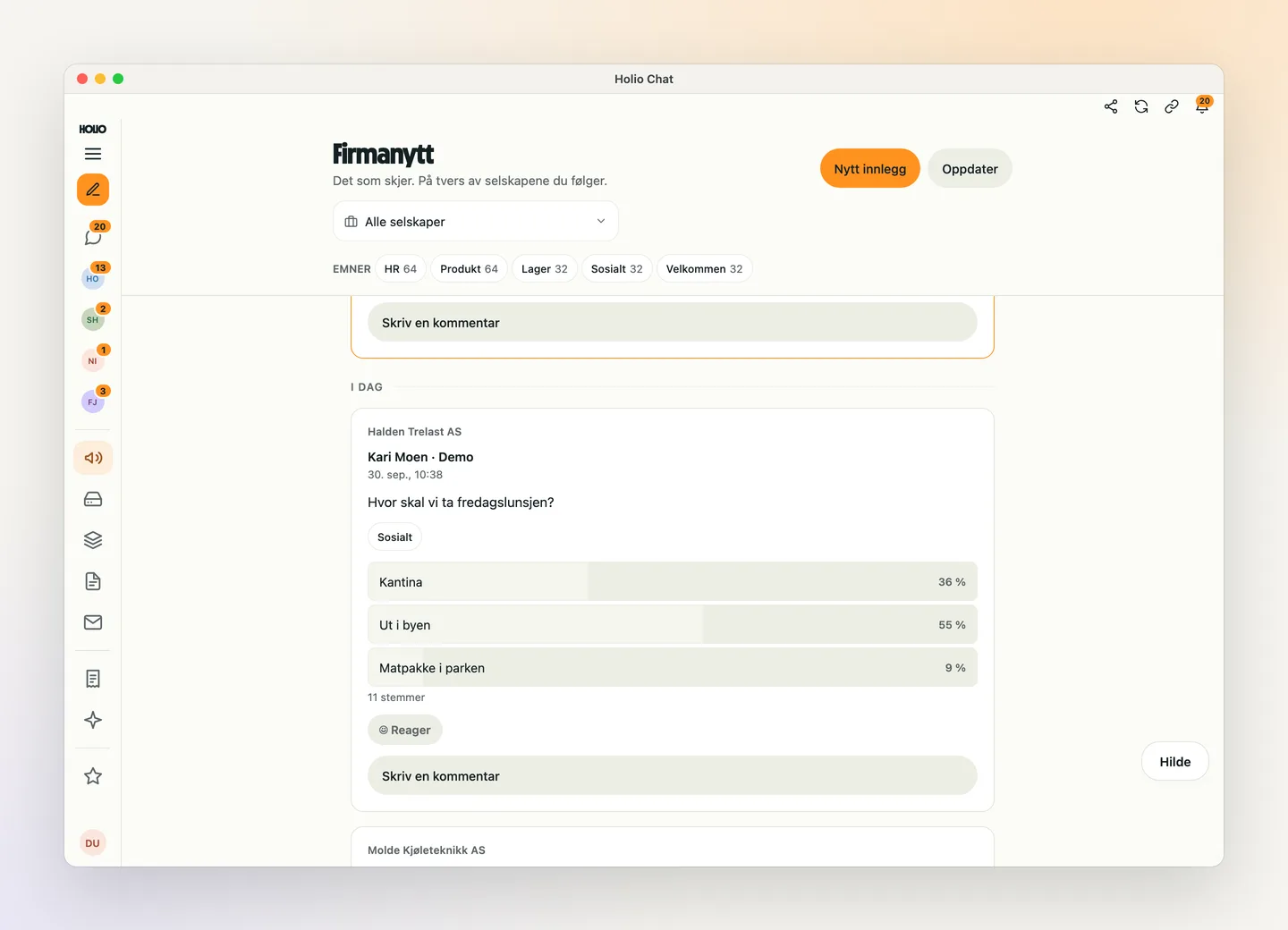
Messages from management, HR or the warehouse live in the app people already have open — not on an intranet nobody visits.
- Pinned announcements with "confirm read", so you see who has seen it
- Polls — from Friday lunch to choosing a supplier
- Topics, comments, reactions and attachments
- Several companies in one feed for people who work across a group
Small things that save time every day
It is the details in the composer and the thread that decide whether a chat gets used.
Summarise what you missed
Come back to twenty unread and Hilde gives you the summary before you read the thread.
Rewrite before you send
Tidy up, shorten, make it politer or translate to English — right above the composer, and you decide what is sent.
Orders and cases become cards
Paste a link to an order or a credit case and it shows as a card with its status in the thread.
Voice messages
Say it instead of typing it when you are on the warehouse floor or in the car.
Screenshots straight into the conversation
On the Mac, take a screenshot from the composer and it is attached to the message at once.
Search everything
Find colleagues, conversations and messages from one search field — across the companies you belong to.
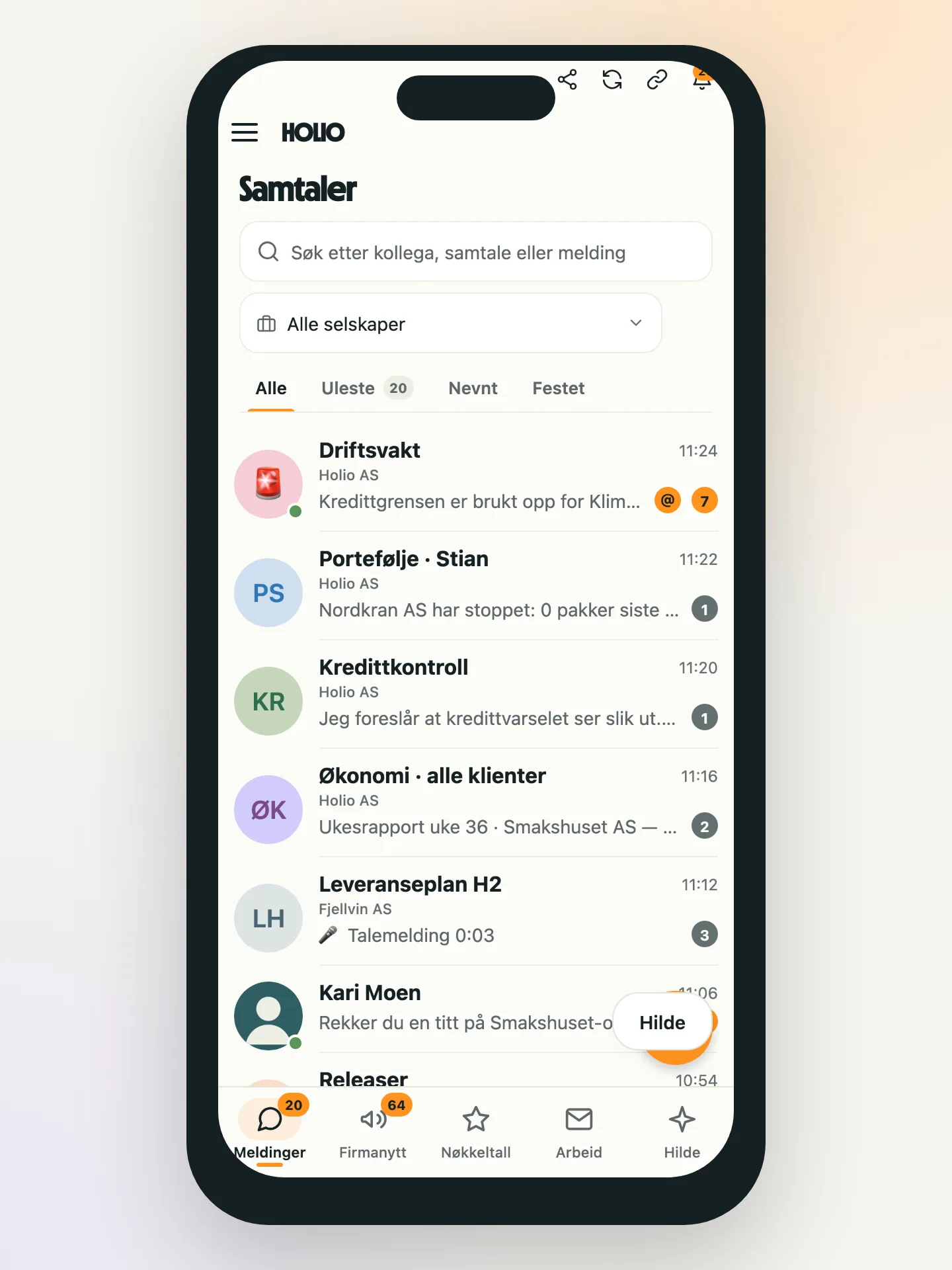
One app on Mac, iPhone, Android and the browser
The screens are written once and run everywhere: the Mac app, the phones and the browser tab show the same conversation, with notifications the operating system actually delivers.
That is a deliberate line against building "some of the chat" per platform: a feature only half the team has is a feature nobody can build a way of working on.
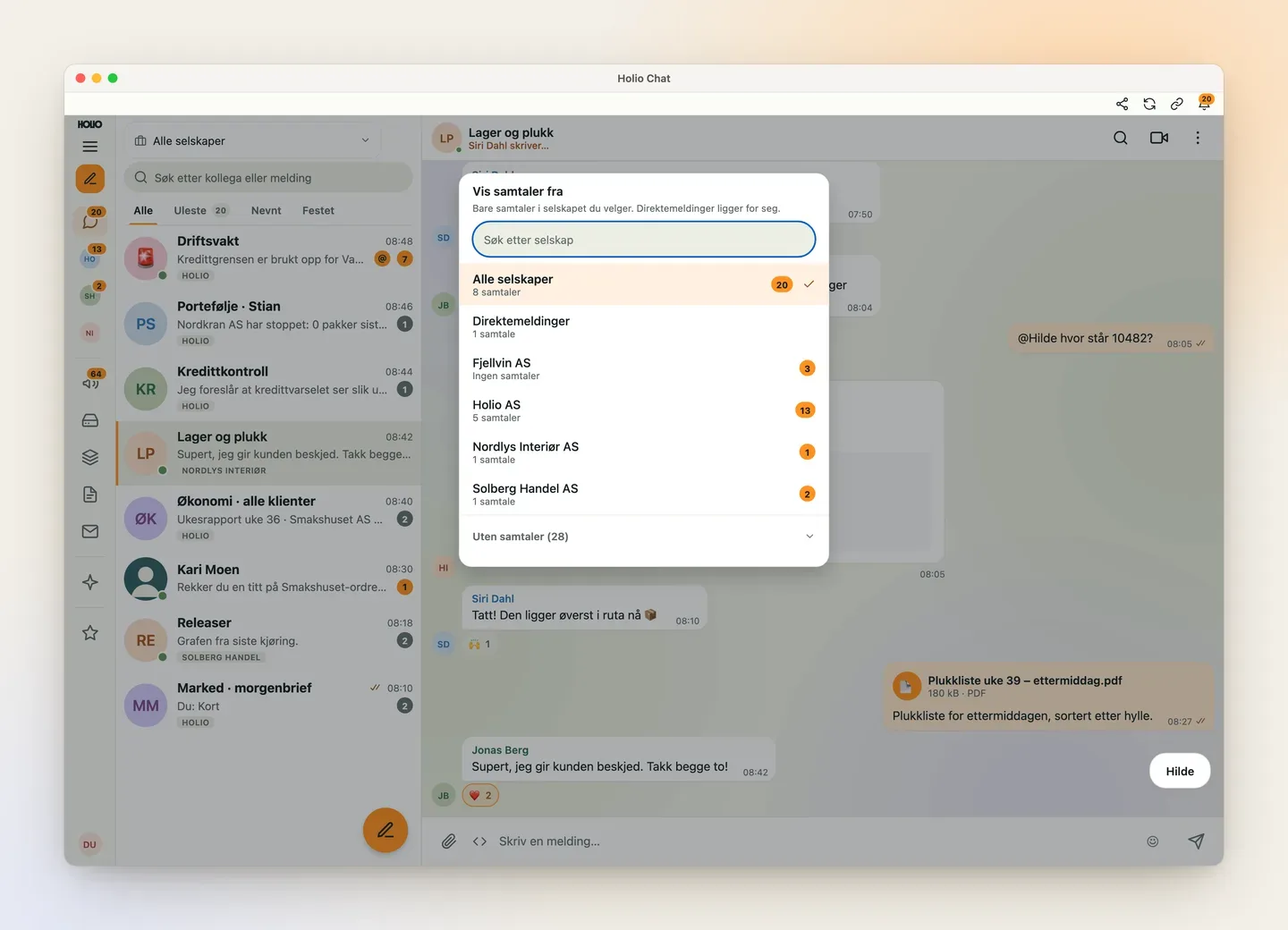
The company boundary applies in chat too
A conversation belongs to a company, and a user sees only the companies they are a member of. Switch company in the header and the list, the vault and company news switch with it. Direct messages stay on their own.
Messages are stored in the same European database as the rest of Workspace, with the same audit trail — not with a messaging vendor you have no agreement with.
How you get started
The chat uses the same users and permissions as the rest of Workspace, so there is no new user list to maintain.
We go through the team and the companies
Which companies, who should be in, and which of today's conversations belong in Holio.
The app is installed
The Mac app and the phone app — or the browser for people who would rather not install anything. The sign-in is the same as Workspace.
The channels are set up with the team
Warehouse, customer service, operations: we start with the channels where the conversation is about orders and cases already in the system.
Questions we often get
Do we need a separate user list for the chat?
No. Holio Chat uses the same users, companies and permissions as Workspace. When someone leaves, their chat access goes in the same place.
Can people outside the company join a meeting?
Yes. A meeting room has a lobby: the guest waits there until someone in the room lets them in.
Where are the messages stored?
In the same European database as the rest of Workspace, on Holio's own servers in the EU, with the same audit trail.
What does Hilde see?
Hilde answers when someone asks it in a conversation, and sees only what the person asking has access to. It drafts and looks things up — nothing goes to customers unless a person presses send.
Do we get notifications on the phone?
Yes. Notifications are delivered by the operating system on Mac, iPhone and Android, and in the browser tab while it is open.
Can we use Holio Chat alongside what we have today?
Yes. Most teams start with one channel where the conversation is about orders, shipments or customer cases, and move more over when it makes sense.
Show me Holio Chat
We install the app with you and set the channels up with the team.