Tripletex + Holio Workspace
More from Tripletex.
Bring finance, voucher processing and shipping into a shared workspace. Bring in customers, invoices and financial data from Tripletex, use open orders for shipping, and configure a controlled flow for approved vouchers back. Keep Tripletex as your accounting system.
- Data flow
- Both ways
- To Tripletex
- Approved vouchers
- Your choice
- Workflows and write access
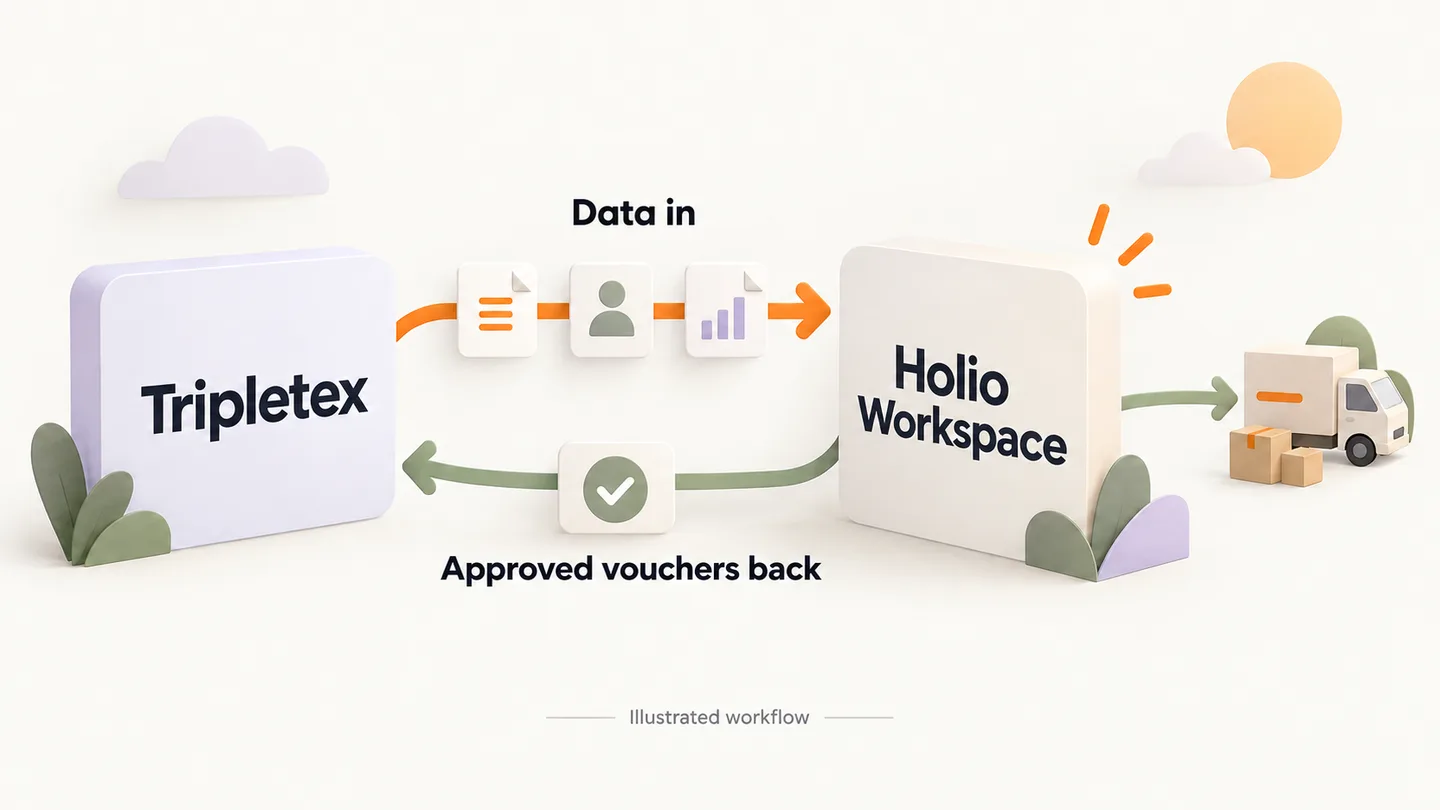
Data in both directions
One connected workflow
Tripletex keeps the books. Workspace connects the figures to the work around them.
From Tripletex to Workspace
The chart of accounts, vouchers, customers, suppliers and invoice information provide a shared basis for visibility and follow-up. Open orders can be used for shipping.
From Workspace to Tripletex
Approved vouchers can be sent to Tripletex for posting. Writing is enabled for each connection, with the necessary permissions and checks before submission.
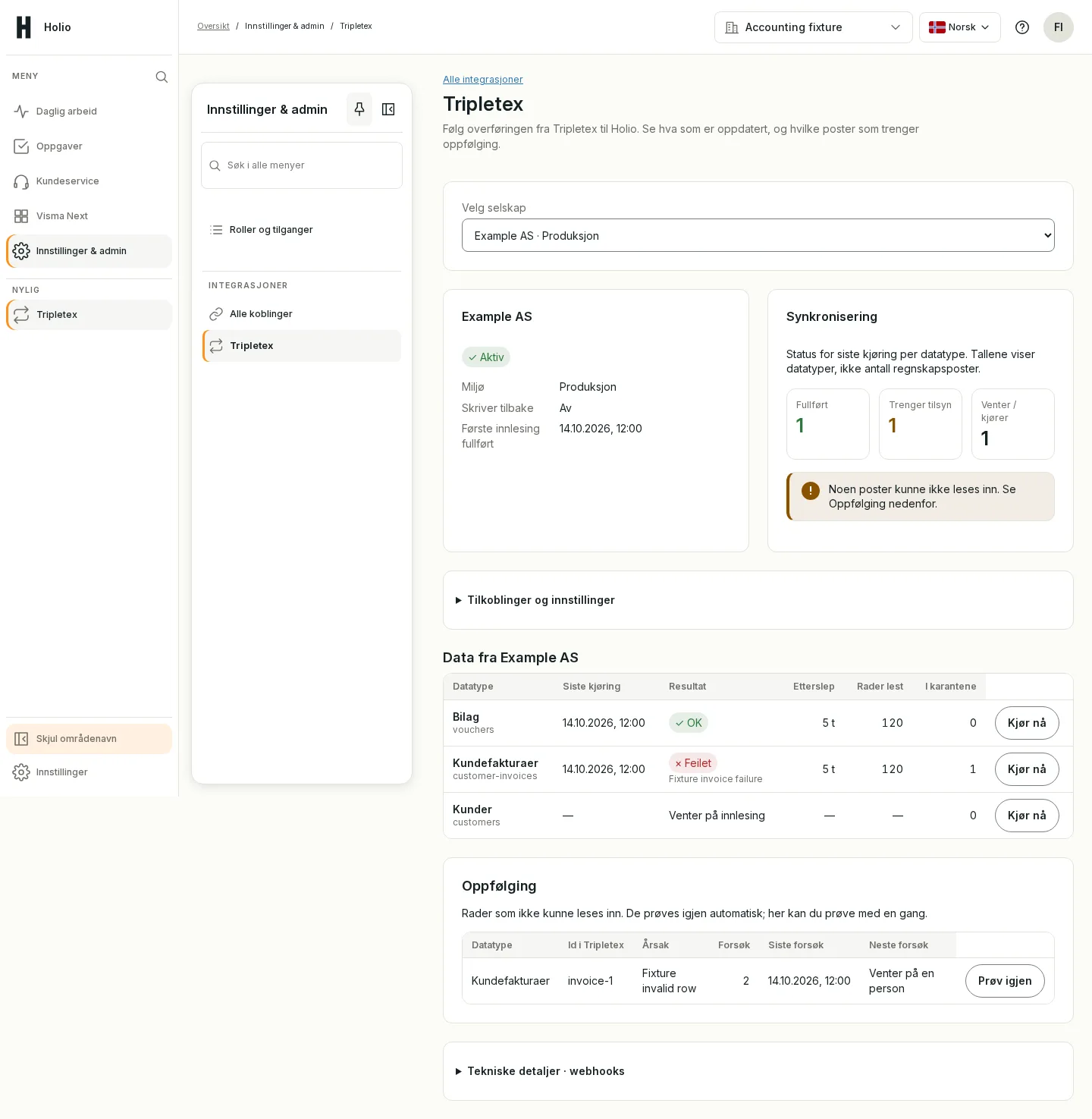
Work in Workspace. Keep your books in Tripletex.
What you gain
From visibility to completed work
Connect accounting and logistics without entering the same information twice.
Accounting in context
View customers, suppliers, invoices and vouchers in your workspace. Use financial data for follow-up and insight.
Vouchers ready for posting
Process and approve vouchers in Workspace. The integration supports supplier invoices, supplier credit notes, receipts and manual vouchers to Tripletex when writing is enabled.
From open order to shipment
Use open Tripletex orders as the basis for booking shipping in Holio TMS. Order details carry into the workflow.
More than a connection
What you can bring in from Tripletex
Use accounting data as the basis for work in Workspace. Available information depends on your Tripletex access and the modules you use.
Customers and suppliers
Bring in customer and supplier information from Tripletex. Use it to find the right business, follow up an invoice or process a voucher.
Invoices and credit notes
View customer and supplier invoices, amounts and status. Credit notes form part of the accounting data too.
Vouchers and postings
See the records behind a cost or income. Vouchers and postings provide the basis for investigating figures and following up entries.
Open items
Use outstanding customer and supplier items for follow-up. Identify what remains open and what needs further checking.
Projects and departments
Bring in project and department information where available in Tripletex. Use it to relate accounting data to the relevant part of the business.
Accounts, VAT and periods
Use the chart of accounts, VAT codes and accounting periods from Tripletex as the basis for coding and checking vouchers.
In your working day
Three ways to use the connection
Examples of workflows you can configure with the relevant Workspace modules.
Finance: from document to checked voucher
A supplier invoice needs processing. Finance checks the supporting documents and coding, follows approval and uses the agreed voucher workflow back to Tripletex when writing is enabled.
Customer contact: find the invoice details
A customer asks about an invoice. With customer and invoice information available, the team can find the details and clarify what finance needs to follow up.
Logistics: use the order for shipping
An open Tripletex order needs shipping. Use the order details in Holio TMS, check the recipient and shipment, and continue to booking.
How a voucher gets back to Tripletex
A workflow configured and tested before writing back is enabled.
Prepare the voucher
Review the supporting documents and coding in Workspace, including account, VAT and any project or department.
Approve
A user with the right access approves the voucher. Writing to Tripletex must be enabled for the connection.
Send to Tripletex
The integration checks the voucher and submits it for posting. A unique reference helps prevent the same voucher from being created more than once.
Follow up the result
See whether the voucher was posted or needs attention. If the outcome is unclear, its status is checked before any resubmission.
From Tripletex order to shipping booking
Connect order details from your accounting system to shipping in Holio TMS. Availability depends on your TMS setup and connection.
Find the open order
Use open orders from Tripletex as the starting point for the shipment.
Check the shipment
Check the recipient, delivery address, packages, weight and transport details before booking.
Book in Holio TMS
Complete the booking in TMS using the transport services available in your setup.
A controlled start
Choose how much you connect
Start with the workflow that brings the most value, then expand once the setup has been checked.
Start with visibility
Bring in data for visibility and follow-up. You can use the reading workflow without enabling writing to Tripletex.
Enable voucher submission separately
Writing back is a separate feature. It must be agreed, tested and enabled for each connection, with the right permissions and approval.
Get started with your Tripletex setup
We review what you want to bring in and what you want to send back.
Connect the right company
Link Workspace to your Tripletex company with the API access required by the integration.
Choose your workflows
Agree which data and modules to use, and who can process and approve vouchers.
Check before going live
Check synchronization and test your workflows. Writing is enabled separately once permissions and setup are in place.
Questions about the Tripletex integration
Can Holio Workspace write to Tripletex?
Yes. The integration supports both reading data and sending approved vouchers to Tripletex. Writing requires the workflow to be configured, write access to be enabled for the connection, and the necessary user permissions.
Do we have to replace our accounting system?
No. You keep Tripletex. Workspace provides a shared place for the work around your accounts, and approved vouchers can be posted back to Tripletex.
Which vouchers can be sent back?
The integration supports supplier invoices, supplier credit notes, receipts and manual vouchers. Available workflows and permissions are agreed for your setup.
Can we start by reading data and enable writing later?
Yes. Reading and writing are controlled separately. Start with visibility and follow-up, then enable voucher submission when your workflow is ready.
Which data can we bring in?
The connection supports customers, suppliers, customer and supplier invoices, credit notes, vouchers, postings and open items. Accounts, VAT codes, periods, projects and departments are also included where you have access. We agree which data and views you need.
Is the data always updated in real time?
Updates use synchronization and, for supported events, notifications from Tripletex. There can be a delay. Access, data volume and configuration affect when changes appear; agree your update requirements during setup.
Can we use Tripletex orders for shipping?
Yes, open orders can be used as the basis for shipping bookings in Holio TMS. TMS and the Tripletex connection must be configured for this workflow. Recipient and shipment details are checked before booking.
What needs to be ready before we start?
Confirm the correct Tripletex company, required API access, relevant Workspace modules and user permissions. We review data flow and test the workflows. Writing back requires separate testing and activation; connecting does not enable it automatically.
See how Tripletex and Workspace work together
We walk through your workflow — from financial data and open orders to approved vouchers back in Tripletex.